If you’ve ever inherited a React/TypeScript codebase where “domain logic” is scattered across API calls buried in components, or where two supposedly-independent modules secretly import from each other in a circular mess, you already know the problem: linters check syntax, but nobody checks architecture.
That’s the gap ArchGuard was built to close.
Avg day of a developer :

What is ArchGuard?
ArchGuard (@7edge/arcguard) is a static analysis CLI and AI-native platform that enforces architectural standards on TypeScript and React codebases. It doesn’t execute your code — it reads it, builds a full dependency graph, and applies 20 built-in rules covering:
-
Domain-Driven Design (DDD) layer boundaries — domain → application → presentation
-
Naming conventions — components, hooks, services, contexts, enums, tests
-
Circular dependency detection — across the entire project import graph
-
Component reusability — props interfaces, hardcoded styles, duplicate code blocks
Unlike ESLint or similar tools, ArchGuard understands which layer a file belongs to, which domain it lives in, and how modules relate to each other project-wide — not just line-by-line syntax.
Why This Matters
Architecture drift is one of those problems that’s invisible until it’s expensive. A domain module quietly importing from the presentation layer, or two feature domains reaching directly into each other’s internals, won’t fail a build today — but it will make every future refactor harder. ArchGuard’s whole design philosophy is:
Catch architecture drift before it reaches code review, not after.
Concretely, it exists to:
-
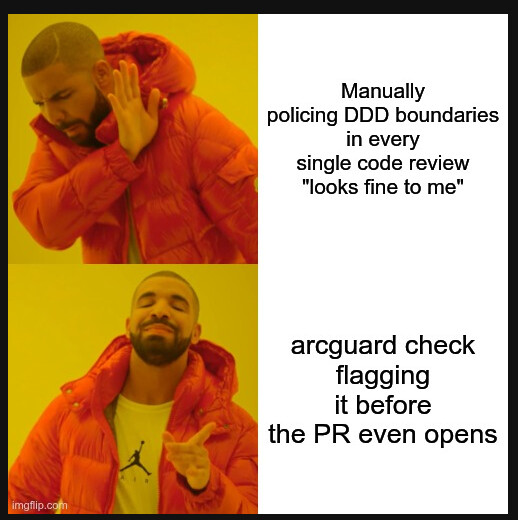
Enforce DDD layer boundaries automatically, instead of relying on tribal knowledge and PR reviews
-
Detect circular dependencies across the full import graph before they calcify into technical debt
-
Give Claude Code an authoritative, structured view of the codebase via an MCP server
-
Enable automated AI-driven fixing of violations through
arcguard fix -
Plug into CI/CD via SARIF output, compatible with Azure DevOps and GitHub Advanced Security
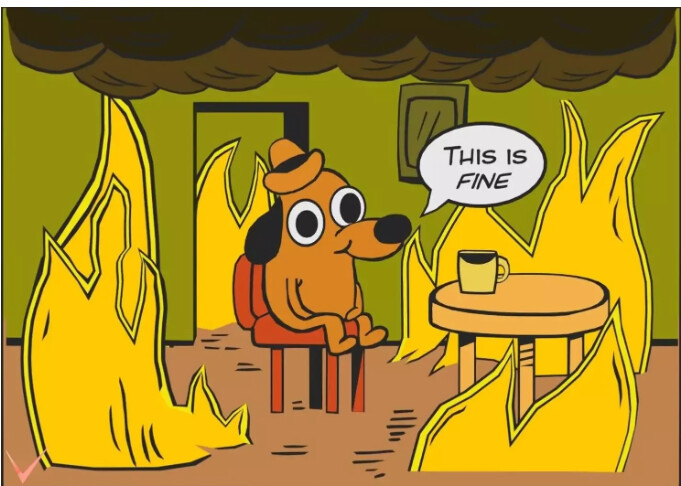
“The prod codebase, 47 circular imports deep”
The AI-Native Angle
This is where ArchGuard stands apart from a typical linter. It ships as an MCP (Model Context Protocol) server, meaning Claude Code can query it directly during a coding session — calling tools like get_context, get_violations, and validate_file to understand the codebase’s real architecture before making changes, and to verify a fix didn’t introduce a new violation.
Then there’s arcguard fix: ArchGuard spawns the Claude Code CLI as a child process, hands it a structured list of violations plus workflow instructions, and lets Claude use the MCP tools to actually resolve them — one rule at a time, with a --dry-run mode to preview changes before anything gets written.
# See what Claude would change, without touching files
arcguard fix --all --dry-run

# Fix just the naming violations — safest, most targeted
arcguard fix --rule naming/component-pascal-case

# Fix DDD boundary violations scoped to one directory
arcguard fix src/domains/billing --rule ddd/no-cross-domain
Under the Hood: A Quick Look
A couple of the internal mechanisms are worth calling out because they show this isn’t a surface-level tool:
-
1. Dependency graph → iterative DFS cycle detection The scanner builds a directed graph (
DependencyGraph) where each file is a node and each import is an edge, stored as an adjacency structure (edgesmap). Circular dependency detection (no-circular.ts) then runs an iterative depth-first search from every node:-
Maintains a
visitedset (nodes fully explored) and astack/stackSet(the current DFS path) — the classic white/grey/black graph-coloring pattern used to distinguish “still on the path” from “already explored, dead end.” -
A back-edge (a neighbour already in
stackSet) means a cycle exists; the cycle itself isstack.slice(indexOf(node)). -
To avoid reporting the same cycle multiple times when discovered from different starting nodes, each cycle is reduced to a canonical form: rotate the array so the lexicographically smallest node is first, then join into a single key. This is the same “canonical rotation” trick used to dedupe rotations of a string or necklace in classic DSA problems.
-
Using iteration instead of recursion avoids call-stack depth limits on large graphs — important once a project has thousands of files.
2. Duplicate code detection → rolling hash index + greedy extension
no-duplicate-blocks.tsis essentially a lightweight plagiarism-detection algorithm:-
Normalize — strip comments, imports, whitespace, and punctuation-only lines so formatting differences don’t hide real duplication.
-
Hash — compute a djb2 hash (a fast, simple string-hashing algorithm) for every normalized line, and bucket
{file, lineIdx}pairs by hash in a hash map — an O(1) average lookup instead of comparing every line against every other line (which would be O(n²). -
Extend — for buckets with 2–50 matches (more is treated as noise), pairs of matching lines are greedily extended forward and backward, line by line, similar to expanding a sliding window / two-pointer match outward from a seed point, until the run breaks or a minimum length (6 lines default) is hit. A
reportedRangesmap prevents overlapping duplicate reports. -
Hash collisions are guarded against with a text-equality check before extending — never trusting the hash alone.
3. DDD layer & domain resolution → string/path parsing
extractLayer()andextractDomain()don’t use anything exotic — just path segmentation (splitting on/or\) and a lookup against a fixed set of valid layer names — but it’s what turns a raw file path into a structural fact (“this file is in the domain layer of thebillingdomain”) that every DDD rule builds on. The forbidden-dependency matrix (domain application/presentation/infrastructure, application presentation, etc.) is then just a lookup table checked per edge in the graph.
4. Cache staleness → mtime comparison, not re-hashing Rather than re-hashing file contents to detect changes,
isStale()comparesmtimeMstimestamps: if any source file was modified after.archguard/context.jsonwas last written, the cache is stale. It’s a cheap, effective staleness check (O(n) over the file list, no file reads required) that keeps the MCP server’s view of the codebase honest without doing unnecessary work — even if you forgot to runarcguard analyzeafter your last set of changes. -
Getting Started
# Install globally
npm install -g @7edge/arcguard

# Set up in your project
arcguard init              # creates arcguard.config.json
arcguard init --mcp        # registers ArchGuard as a Claude Code MCP server
arcguard analyze           # builds the .archguard/ cache
arcguard check             # run your first scan
Prerequisites: Node.js ≥ 18, a TypeScript (or JavaScript) project, and — if you want arcguard fix — the Claude Code CLI installed and available in PATH.
Note: the package has not yet been hosted in any of the artifactory ,the work on it is in-progress, but if anyone wants to use it for thier repo can reach out to me
Reports: Console, JSON, SARIF, and an Interactive HTML Dashboard
arcguard check isn’t limited to a single output format — the --reporter flag supports four:
| Reporter | What you get |
|---|---|
console (default) |
Coloured terminal output with health score and reusability score |
json |
Full CheckResult written to disk — schemaVersion "2.0", ideal for custom tooling or dashboards |
sarif |
SARIF 2.1.0, plugs straight into Azure Pipelines or GitHub Advanced Security code scanning |
html |
A self-contained, interactive HTML dashboard — dark/light theme toggle, a filterable violations table, and a component-reuse chart |
You can generate more than one in the same run by chaining commands — a JSON file for tooling and an HTML dashboard for humans, for example:
bash
# Machine-readable JSON for custom tooling or dashboards
npx arcguard check --reporter json --output archguard-report.json

# Shareable, interactive HTML dashboard — no server required, just open it
npx arcguard check --reporter html --output archguard-report.html
The HTML report is genuinely useful to hand to a non-CLI audience can open it in a browser, filter violations, and see the reuse chart without ever touching the terminal.
CI/CD Integration
Because arcguard check supports a SARIF reporter and returns proper exit codes (0 = clean, 1 = errors, 2 = warnings over threshold), it drops straight into existing pipelines:
- script: npx arcguard check --reporter sarif --output archguard.sarif
- script: npx arcguard check --max-warnings 10
The Bottom Line
ArchGuard treats architecture as something that can — and should — be enforced with the same rigor as syntax and types. It catches DDD violations, circular dependencies, and reusability gaps before they reach review, and it closes the loop by letting Claude Code read the violations and fix them directly, with humans staying in control via dry-run previews and rule-scoped fixes.
For teams scaling a React/TypeScript codebase across multiple domains, that’s the difference between architecture as a document nobody reads and architecture as something the codebase actually enforces.